Database lookup (single MySQL query)
Use a database query to add a single select list to a F2C submission form. Can be used to generate 'relations/links' between Joomla articles. This field should only be used if you understand MySQL queries and have a thorough understanding of Form2Content templating.

Template parameters available
{$< FIELDNAME >} = value (Joomla article id in example below)
{$< FIELDNAME >_TEXT} = text (Joomla article title in example above)
The following parameters can be used in the custom SQL query:
{$CURRENT_USER_ID}
{$CURRENT_USER_GROUPS}
{$LANGUAGE}
Article template example
The database lookup field works very similar to the Single select list. It has a value and a text string. The content depends on your custom MySQL query. In most cases (and the examples used) this will be the Joomla article ID and title. The SQL query for this field should select two fields for a list of items, the first one being a unique value for the item, the second one a description of the item. You are not allowed to use a wildcard (*) in the query.
The following query can be used to fill the dropdown list with all the published articles in your database:
SELECT id, title FROM #__content
WHERE state = 1
ORDER BY title ASCDatabase Lookup field settings
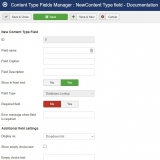
The above images show the possible settings of the field.
| Setting | Description |
|---|---|
| Display as | Specify how the field will be presented to the user. Choose between "Dropdown list" and "Radio button list" |
| Show empty choice text | Display a text to the user when no choice has been made yet? |
| Empty choice text | The text to be shown when no choice has been made (e.g. Please make a choice...). |
| SQL Query |
The SQL query for this field should select two fields for a list of items, the first one being a unique value for the item, the second one a description of the item. You are not allowed to use a wildcard (*) in the query.
|
| Attributes | Attributes to apply to the select field (e.g. class="dropdown") |