Import & export of F2C Content types
From F2C Pro it is possible to export and import content types. Please note that when you want to transfer a content type to another website the Form2Content and Joomla version need to be the same. The reason is because of possible differences in settings and options.
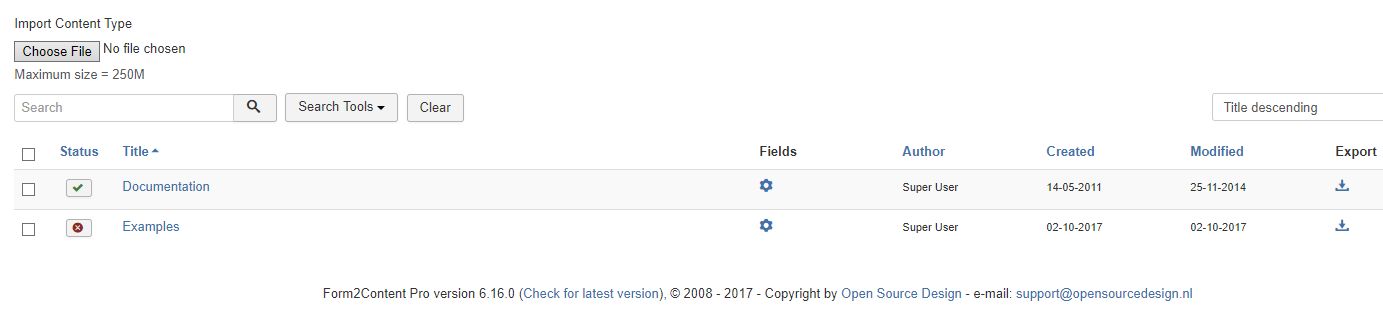
The F2C import and export feature of Content Types can be found in the content type manager. components >> form2content >> content type manager
What is exported & imported?
The import & export feature of Form2Content combines all the Content Type settings, the custom fields and the related templates into one xml file. F2C does NOT export the article data of your content type.
Export a F2C Content Type
By clicking on the SAVE button in the last column the respective content type is exported as a XML file (.xml) and can be saved. The name of the file corresponds to the Content Type name, F2C version and Joomla version.
Import a F2C Content Type
Importing a content type (xml file) is done in the Content Type manager. After the import you have to CHECK some settings!
1) In the Content Type configuration set the CATEGORY SELETION where the Joomla article are saved.
2) IF you have non default Joomla PERMISSIONS and usergroups, check them for the new content type.
3) Create MENU LINKS to the F2C front-end article manager if this feature is required.
Install plugins used in the Content Type templates
If you used any Joomla plugin(s) for your articles and inserted the code in the F2C templates, these plugins need to also be installed on the website where you imported the F2C Content Type.